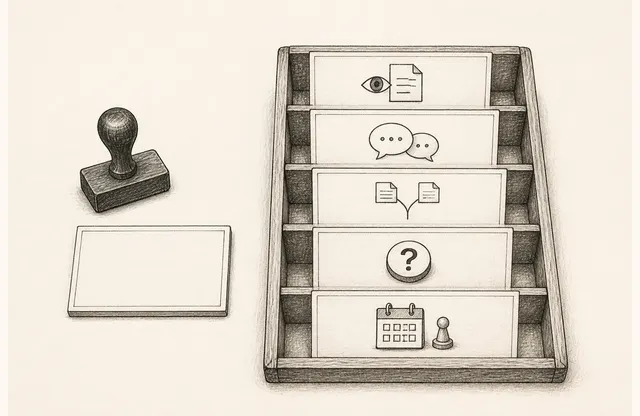
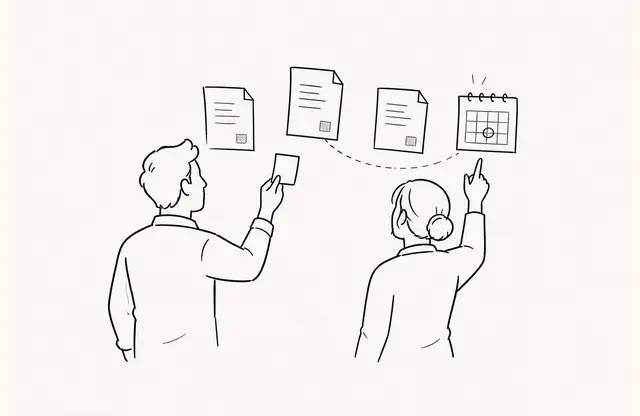
As the workday begins, a message appears in the team’s Slack channel saying that a document was opened. A little later, contact details from an information form are added to an operations database. Even when both records come from the same document, they are not the same event. One is an alert that the document opened. The other is a record that someone submitted information directly.
Starting an integration design with service names blurs that distinction. Before saying “connect Slack and Zapier,” decide which event should be reported to whom, and which submitted data should be stored where. Keeping alerts and records separate lets the team assign owners and follow-up actions without overstating what happened.

Alerts and Records Serve Different Purposes
An alert tells the team that an event now needs attention. It is not a long-term ledger or a system for managing customer information. Contact delivery, by contrast, places values submitted through an information form in a designated location so they can be found during later work. A fast alert does not turn into contact data, and a stored contact does not mean an immediate sales response is warranted.
FeatPaper’s current connection scope also separates these paths. Slack receives document-open notifications at the account or workspace level. After the account is connected, contact details from information-form submitters can be delivered to the Notion database selected for each document. Describing Slack as a document-level contact store or a CRM synchronization path would exceed that scope.
Name the Event First
Before opening a connection screen, write the two events as separate rows in an operations table.
| Event | Confirmed fact | Still unknown | Appropriate purpose |
|---|---|---|---|
| Document-open alert | A shared document opened | Not established: purchase intent, budget, or desire to be contacted | Tell the responsible team that review may be needed |
| Information-form submission | The submitter entered the configured fields | Accuracy, readiness for a consultation, or decision authority | Keep the submitted values for follow-up work |
If an event name includes an interpretation such as “interested account created,” later automation will repeat the same overstatement. Observable names such as “document opened” and “information form submitted” preserve what the next owner still needs to confirm.
Attach an Owner and Allowed Action to Each Destination
For an alert channel, define who checks it and when a separate record should be created. Sales Ops might monitor whether the alert flow is working, while the account owner prepares the next question only when there is already an agreed schedule and relevant conversation context. Do not create a rule that raises priority or triggers immediate outreach merely because an alert appeared.
For a contact destination, assign a data owner and state the permitted use. Record which form on which document produced the values, who checks missing or duplicate entries, and what follow-up scope was explained at submission. Do not broaden an information submission into a consultation request or a wider consent to contact. A storage destination without an accountable owner produces more rows, not a working process.
Document Boundary Statements, Not Just Connection Names
An integration note should state unsupported actions as clearly as supported ones.
- A Slack alert carries the event that a document opened. It is not a document-level destination for storing contacts.
- The contact-delivery scope confirmed here sends information-form submitters to a Notion destination selected per document. Do not assume other destinations or broader behavior have the same support.
- Do not turn anonymous views or recipient-link views without a form submission into contact-delivery records.
- Do not call this flow native Salesforce or HubSpot synchronization.
- Do not translate opens or submissions into purchase intent, MQL or SQL qualification, or contract probability.
These statements do not weaken the feature description. They are operating rules that keep different teams from assigning different meanings to the same record.
A Good Integration Reduces Misunderstanding Before It Increases Speed
When reviewing a connection policy, focus on four questions instead of the number of tools involved.
- Which event occurred?
- Is its purpose closer to notification or retention?
- Who confirms what at the destination?
- What will the team not conclude from the record alone?
Slack alerts and delivery of form submitters’ contact details can operate together. Their value appears not when the two flows are collapsed into one, but when the team can explain their events, destinations, owners, and interpretation boundaries separately.