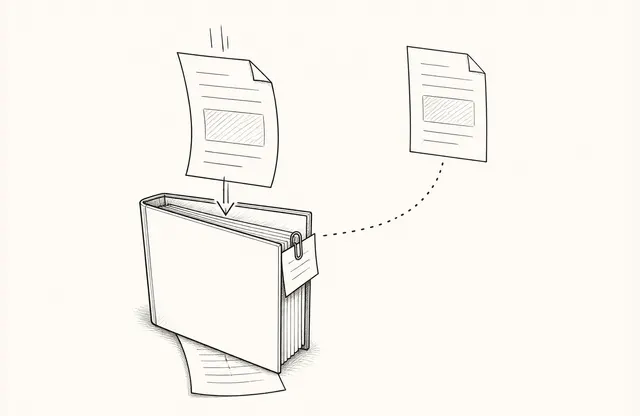
Partner sales programs quickly accumulate company and product overviews, pricing sheets, demos, brand guidance, customer stories, and FAQs.
The harder problem begins after the library grows.
“Is this the current version?”
“Which deck should I send to this customer?”
“The pricing sheet changed. Which one is authoritative?”
The quality of partner enablement shows in how clearly the team answers those questions, not in how many files it has produced.
Partners need a current source, not a bigger library
A shared drive may be divided into company, product, pricing, proof, and training folders. As similar filenames accumulate, the folders no longer reveal which document is current.
Start by separating material according to the conversation it supports:
- An introduction for a first conversation
- Detail for an active evaluation
- References for commercial or operational review
Partners need to know what supports the conversation in front of them and where to take an exception or question.
Manage the access path and the source separately
Once partners store their own copies, an earlier version may continue to circulate after headquarters updates the source.
Instead of adding “final” and “final revised” to filenames, separate the path partners use from the source the internal team maintains. Keep partner-facing entry points few and manage current material behind them.
FeatPaper’s document update guide explains that a new version can be uploaded while the existing link remains in use. This does not update files that were already downloaded. When the page count or layout changes, recheck the placement of any interactive elements carried into the new version.
Give every asset an owner and a review rhythm
A stable link still points to aging content when nobody owns the review. Marketing may maintain the company deck, sales pricing, and the product team technical material. Each asset needs an accountable owner.
Record three things: what the asset is for, who owns it, and when it should be reviewed again.
A last-modified date cannot distinguish an accurate document from one that went unchecked. Pricing and a company overview also need different review schedules.
Explain what changed, not only that it changed
Uploading the latest document does not make the changes obvious to partners. Do not make them reread a long deck and compare it with the previous edition. Summarize the changes that affect customer conversations.
August product deck updated.
No change to pricing.
New customer example on page 12.
Enquiry process revised on page 18.
Publishing a version and helping partners understand the change are two different pieces of work. A dependable program handles both.
A document view is not proof of training
Link sharing can show whether material is being opened. FeatPaper’s visitor analysis guide describes document- and page-level viewing records.
An open does not prove that a partner understood the material or can explain it accurately. If a pricing brief is rarely opened, check the delivery path and change notice before inferring a lack of interest. Repeated use of one asset may point to a topic that needs clearer training or an FAQ.
Viewing data is best treated as an operational signal that points to what the support system should check next, not as a score of partner capability.
What should the partner-material checklist make obvious?
A useful partner system need not begin as an elaborate portal. It succeeds when partners can continue a customer conversation without contacting headquarters to locate a file.
That requires four connected elements: a clearly designated current source, a durable access path, a concise change note, and a named owner for questions. Check those connections before adding another folder or asset.
A good structure is not a place that contains every file. It is a place where partners can immediately tell what they should use now.