Before refining the wording of a follow-up email, decide what choices a customer should encounter while reading and where each choice should lead. The aim is not to add every available feature to a document. It is to arrange a few useful paths around the questions that may arise at different points in the review.
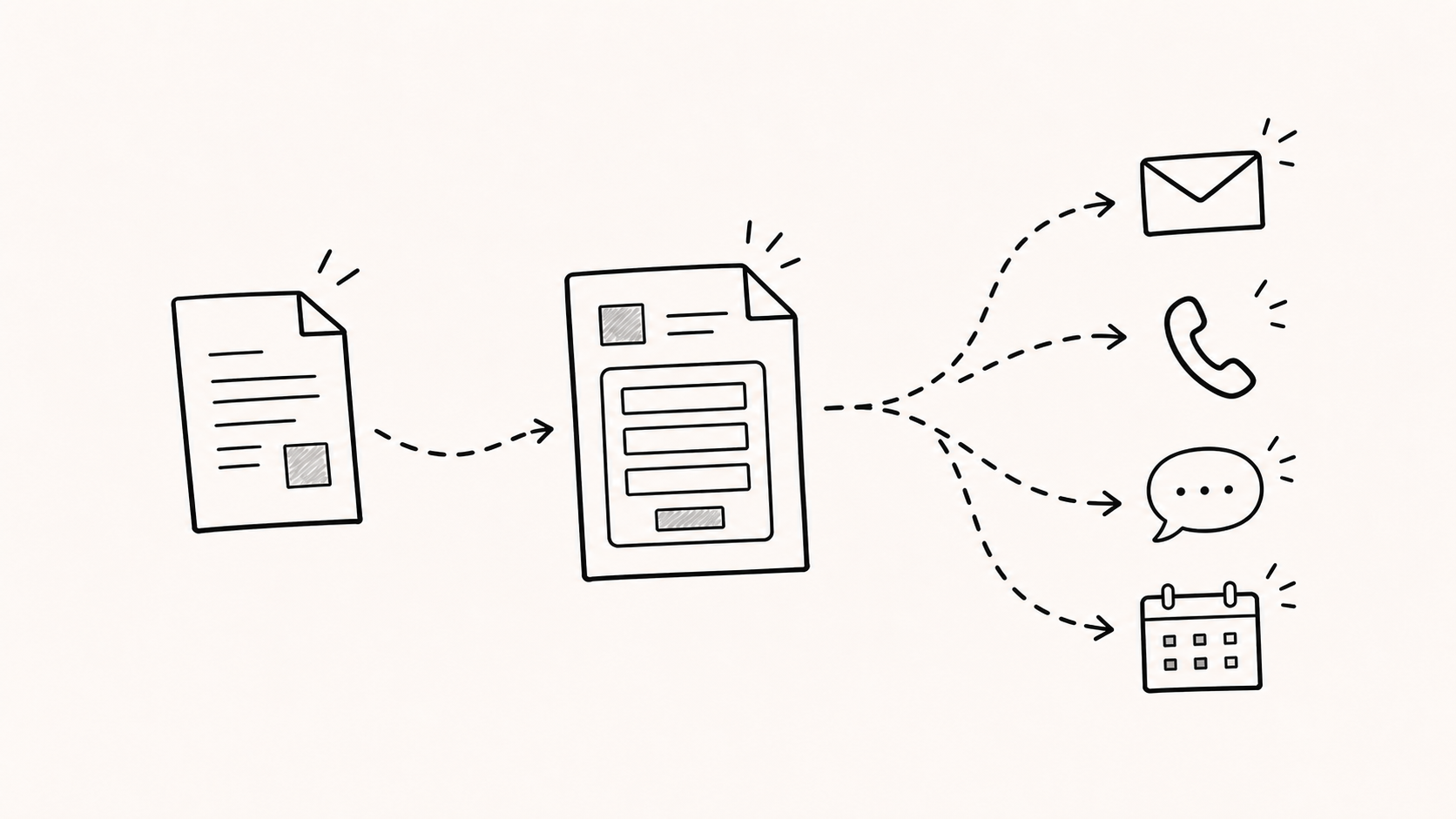
How can several paths work together?
With FeatPaper, a team can turn an information form on or off for a standard link and add video, an external tool, or a URL link to a selected page. The same material can therefore work as an open introduction in one context and as a route to questions or a consultation in another.
The useful question is not simply, “Should we add a form or a button?” Start with, “What might this reader need next?” The features can then be combined around that answer.
When should you ask for information?
An introductory document does not always need to identify the reader at the entrance. It can remain open without an information form. A report or detailed guide that comes with follow-up support may instead ask for a work email before opening. The right entry point depends on the role of the material and the relationship already established with the customer.
If a useful question is more likely to emerge after the reader has seen the details, there is no need to place a form at the start. An external form can be embedded or linked near the relevant page so that the team asks only for information that has become necessary at that moment. The goal is to choose a point where the request makes sense, not to attach the same form to every document.
Where should the next choice appear?
FeatPaper can place video, external forms, and scheduling tools inside a page, or connect a URL button to another service. This makes it possible to position a next step near the content that may prompt the question instead of repeating one generic contact button on the final page.
- Beside a product video, offer a short form for questions about applying it to the reader’s work.
- Near a pricing table, link to a choice of scope or a request for a tailored estimate.
- On an integration page, provide a route for a technical question or a direct email to the responsible person.
- After a case example, offer a way to request material from a similar environment.
These choices are not decoration. They help the customer move a question into the next conversation without losing its context.
What if the customer journey branches?
After reading the same page, one person may prefer a short email while another may want more detail before booking a meeting. That is why the next step should not be forced into a single path.
This does not mean filling a page with buttons. Show the most natural action for that page first, then keep a simple contact route such as the owner’s email available. One reader can move directly to a consultation while another continues an internal review.
How should follow-up use the context the customer chose?
Submitting an information form or opening a CTA does not settle what the customer has decided. Someone may open a scheduling page only to check availability, or may use an external form to ask for information rather than request a meeting.
The follow-up message should begin with the topic the customer chose, not with a list of recorded actions. If the customer left a direct question, answer it first. If there is only a viewing record, use it to select a neutral question without claiming to know the reason.
While reviewing the integration scope, were there any points you would like us to check against your current system? We can prepare only the information you need.
Information the customer provides directly is more useful than a guess. FeatPaper records can help the team select a question, while the conversation itself should stay focused on the customer’s stated situation and the support they need.
A three-question design checklist
- Which content should remain available without asking for information?
- On which page is a question or additional review most likely to arise?
- What is the least burdensome next action the customer can choose at that point?
Answering these questions clarifies the separate roles of information forms, external tools, links, and contact details. A flexible document is not one with the most interactions. It is one that offers the right choice at a useful point in the customer’s review.
What still needs native review?
This English version reflects the current Korean source, but an English-language reviewer still needs to check the product terminology, editorial rhythm, example CTA wording, and sales tone. It remains noindex and on indexing hold until that review and a separate publication decision are complete.